Animate Unity UI with reactive springs
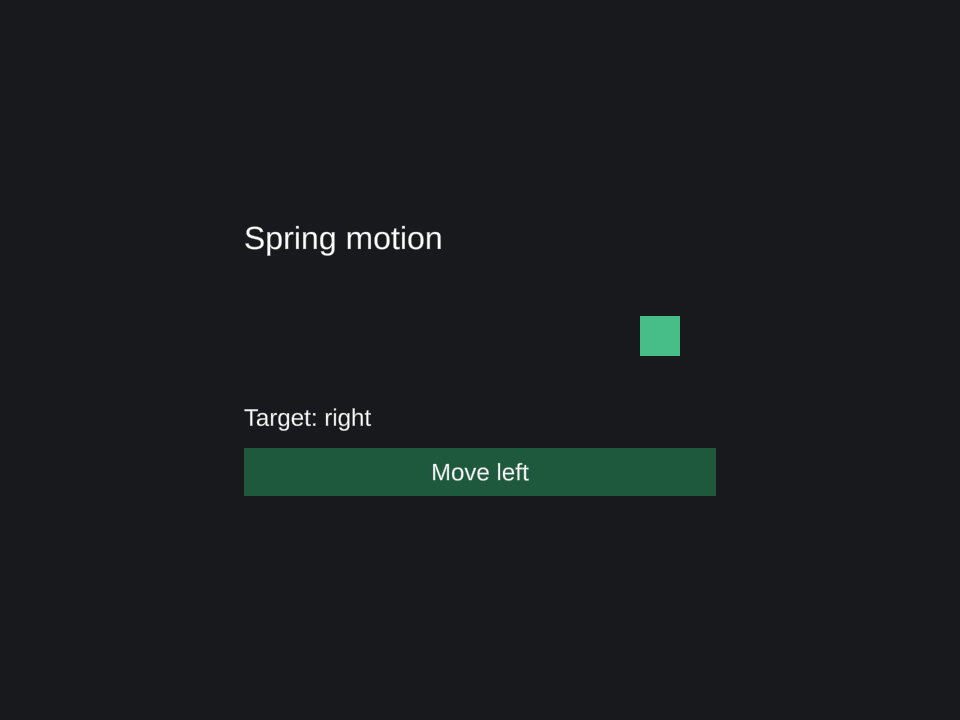
A spring follows a state-derived target. This example moves an image between two positions with a small amount of overshoot.
Run the example
Complete the Pine installation steps, including TextMeshPro resources and the Input System backend. Save the script with the filename shown, attach it to an empty GameObject, and enter Play Mode. Pine creates the Canvas and child UI from this script.
Download PineSpring.cs. The source is MIT licensed, like Pine.
using Pine;
using UnityEngine;
using UnityEngine.UI;
using UI = Pine.Pine;

namespace PineDocs.Examples
{
    public sealed class PineSpring : MonoBehaviour
    {
        public readonly Source<bool> OnRight = UI.Source(false);
        private MountHandle _mount;

        private void OnEnable()
        {
            _mount = UI.Mount(() =>
            {
                var x = UI.Spring(() => OnRight.Value ? 180f : -180f,
                    period: 0.45, dampingRatio: 0.75);
                return UI.Column(UI.Name("Spring motion"), UI.Size(520, 320),
                    UI.Configure<VerticalLayoutGroup>(g => g.padding = new RectOffset(24, 24, 20, 20)),
                    UI.Label("Spring motion", UI.FontSize(32), UI.PreferredSize(472, 48)),
                    UI.Frame(UI.Name("Motion track"), UI.PreferredSize(472, 120),
                        UI.Image(UI.Name("Moving marker"), UI.Size(40, 40),
                            UI.Position(() => new Vector2(x.Value, 0)),
                            UI.Tint(new Color(0.28f, 0.74f, 0.53f)))),
                    UI.Label(() => OnRight.Value ? "Target: right" : "Target: left", UI.PreferredSize(472, 36)),
                    UI.Button(() => OnRight.Value ? "Move left" : "Move right", Toggle,
                        UI.PreferredSize(472, 48)));
            });
        }

        public void Toggle() => OnRight.Value = !OnRight.Value;

        private void OnDisable()
        {
            _mount?.Dispose();
            _mount = null;
        }
    }
}
In Unity
Change a target, not every frame
Click Move right or Move left. OnRight chooses the target, Spring computes the motion, and Position reads its output. The button text and target label bind to the same state. No Update() method is required for this example: Pine's runtime host advances springs automatically with unscaled time.
The moving marker is a child of a plain Frame. The outer column lays out the track, while the marker's position remains controlled by the spring.
Tune the movement
period: 0.45 is expressed in seconds. dampingRatio: 0.75 permits overshoot; 1.0 is critically damped. Period and damping can also be reactive values. Use a stable getter for the target and create the spring inside the mount that owns the animated element.
Disposing the mount releases the spring and its bindings. Re-enabling this component creates a fresh spring at the current target. For jumps, impulses, supported value types, and explicitly stepped time, see the spring animation API.
Combine motion with a reactive HUD or conditional UI and lists.